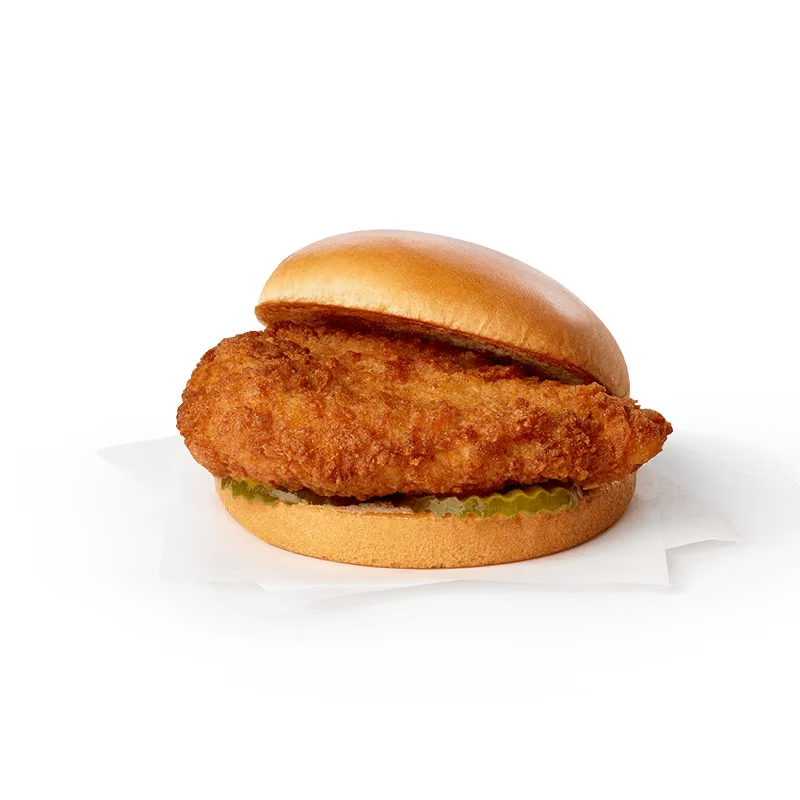
 420 cal
Entrées
Original Chick-fil-A ® Chicken Sandwich
Meet the original Chick-fil-A® Chicken Sandwich: a breaded chicken breast with pickles on a buttery bun. Order online today for quick service near you.
$5.95 – $8.95
29g protein16g fat41g carbs
Add a main, side, drink and sauce to see the full calorie, protein, carbohydrate, fat and price total before you order.
If you are unsure where to begin, add a signature main, nuggets, waffle fries and lemonade. That combination shows how the calculator works: the main supplies most of the protein, the fries add carbohydrate and fat, and the drink adds sugar unless you choose an unsweetened option.
420 calMeet the original Chick-fil-A® Chicken Sandwich: a breaded chicken breast with pickles on a buttery bun. Order online today for quick service near you.
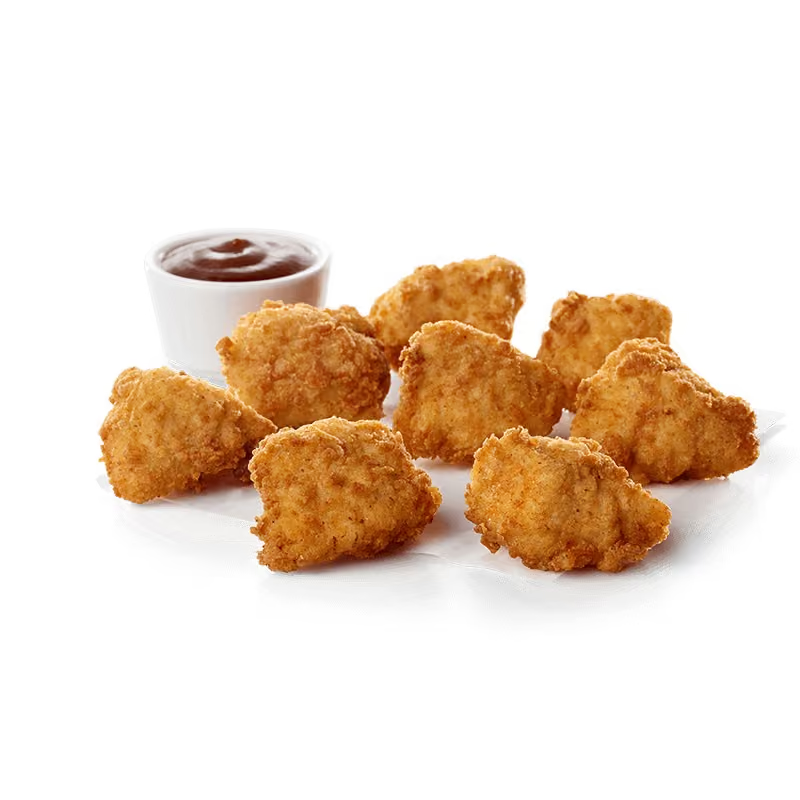 250 cal
Chick-fil-A Nuggets are delicious bite-sized pieces of boneless chicken breast, seasoned to perfection and freshly breaded. Available with your favorite sauce.
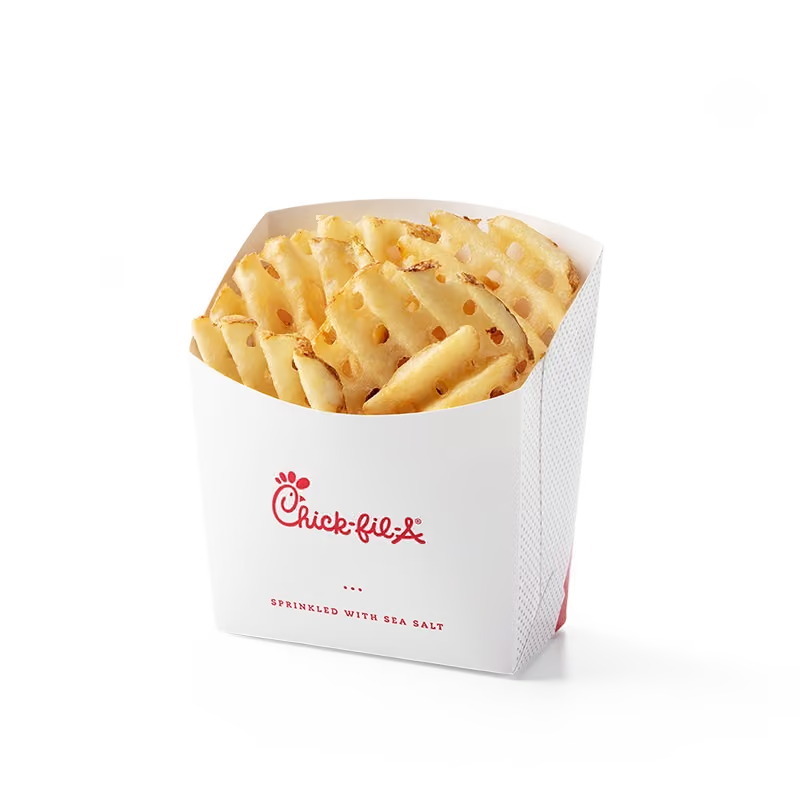 420 cal
See the nutrition and ingredients in our Waffle Potato Fries, waffle-cut potatoes cooked in canola oil until crispy on the outside and tender on the inside and sprinkled with sea salt.

Chick-fil-A ® Lemonade from Chick-fil-A.
The calculator reads the published nutrition values in our catalog and multiplies them by the quantity you choose. Regular values come from the standard item label. The large option scales calories by a simple factor and uses the upper end of the estimated price range; it is a planning estimate, not an official label. Macronutrients are shown in grams, and the daily goal bar compares the calorie total with the goal you select.
Sauces are not automatically included in a main item’s calories. Add them as separate items if you want a realistic total. The same applies to a side that comes with a combo: if you order the combo, count each component once. This is more work than reading a single number, but it prevents the common mistake of underestimating a meal.
The preset goals are starting points, not medical advice. A standard 2,000-calorie reference is used on many labels, but individual needs vary with body size, activity and objectives. The lower and higher presets simply let you see the same meal in a different context. You can ignore the percentage entirely and use the calculator only for absolute totals.
A meal that takes a large share of a 1,500-calorie goal may be reasonable in a 2,800-calorie day. That is why the percentage is more useful as context than as a pass or fail score. Use the number to decide whether the rest of your day can accommodate the meal.
Nutrition values are reproduced from published brand information. They describe standard preparations. Extra sauce, a different bun, added cheese or a substitution will change the result. If the brand updates a recipe, the official label changes before our static catalog does. For an exact figure, check the official app.
Prices are independent estimates because there is no national price list. The calculator uses the lower end of a range for the standard option and the upper end for the large option so the total reflects a plausible spread. It excludes tax, fees and delivery charges. Treat the price total as a budget guide, not a checkout amount.
The tray is stored in localStorage on your device. Search, filtering and all totals are calculated in JavaScript. The site has no account system, no order processing and no analytics that collect personal information. Clearing browser storage removes the tray.
The newsletter form in the footer is a local demonstration: it validates an email format and then resets. It does not transmit the address. This is an independent guide, not a restaurant checkout.
Start with a chicken sandwich, waffle fries and a medium lemonade. The sandwich supplies most of the protein, the fries add starch and fat, and the drink adds sugar. Add the namesake sauce separately. The total shows why counting only the main item understates the meal.
To lighten the same pattern without changing the main, switch the fries to a fruit cup and the lemonade to unsweetened tea. The calculator will show the difference immediately. Neither version is right or wrong; the point is to see the trade-off before you order.
Nuggets are useful because the count lets you control the portion. A smaller order with a side and a drink can feel like more food than a large order on its own, and it gives you room to add a second sauce without turning the meal into a large calorie load.
Add the sauce you actually use. A creamy sauce changes the fat total; a tangy mustard-based option changes it less. This is the sort of detail a single label cannot capture, and it is the main reason to build the whole meal in one place.
A breakfast sandwich and coffee is a compact order. The egg and cheese contribute protein and fat, the biscuit or muffin contributes carbohydrate, and the coffee is negligible unless you add cream or sugar. A bowl with egg and chicken is larger and usually more filling.
Breakfast is time-limited. Confirm the cutoff at your restaurant before you plan the day around a morning item. The calculator does not track availability; it only totals the nutrition and price you select.
A salad with chicken and a creamy dressing can carry a similar calorie load to a sandwich. The greens add volume and fiber, but dressing and crispy toppings add fat. Use half the dressing packet to keep the profile bright without erasing the advantage.
Add a cup of soup or fruit if you want more volume. The calculator will show how a second component changes the meal. This is more useful than assuming that a salad is always the lighter choice.
For a group, use the calculator to build a representative individual plate rather than trying to divide a tray by the number of people. People take different portions, and a shared order is not evenly distributed.
The price total is also an estimate. Trays and family meals are priced differently from individual items, so ask the restaurant for a quote and use our numbers only as a baseline. Count extra sauces as part of the order.
A drink is a real component, not an afterthought. Lemonade, sweet tea and milkshakes add sugar and calories; unsweetened tea, water and black coffee do not. Choosing a smaller size is an easy way to reduce the total without giving up the flavor.
Treat a milkshake as dessert. If you want one, build the rest of the meal around it rather than pretending it is a neutral beverage. The calculator makes that decision visible in numbers.
Sodium often surprises people because it accumulates across components. A main, fries and sauce together can account for a large share of a typical daily target even when the calorie total looks moderate.
If you are watching sodium, choose one component to be lower rather than trying to change everything. Fruit instead of fries and unsweetened tea instead of a salty or sweetened drink are simple adjustments that preserve the main item.
The most common calculator errors are forgetting the sauce, counting a combo as one item, using the wrong drink size and assuming a large option is an official label. Each mistake is small on its own but adds up over a full order.
Take a few seconds to review the tray before you finish. If the total looks higher than expected, remove the component that matters least. That is the practical value of building the meal in one place.
Choose a chicken sandwich as the main. Add waffle fries, a medium lemonade and one packet of the namesake sauce. The calculator shows four lines, four prices and four nutrition contributions.
The sandwich supplies most of the protein. The fries add carbohydrate and fat. The lemonade adds sugar. The sauce adds a small but real amount of energy that a single-item label would not show.
Review the goal bar. If the total is larger than expected, remove the drink or sauce first. Those are the components people most often forget, and changing them preserves the main item.
Keep the sandwich and swap the fries for a fruit cup and the lemonade for unsweetened tea. The meal still feels complete, but the carbohydrate and sugar totals fall.
This is not a rule. It is a demonstration of how the calculator turns a vague idea of “lighter” into visible numbers. You can compare both versions in a few seconds.
If the fruit cup does not satisfy you, add a side salad with dressing on the side. The calculator will include the dressing as a separate item, which keeps the total honest.
Nuggets are sold in counts, which makes them a flexible base. A smaller count with a side can feel like more food than a large count alone because the meal has more variety.
Add the sauce you actually use. A creamy sauce changes the fat total more than a mustard-based option. The difference looks small on one line but matters across a full order.
Use the quantity control to model a shared order. If two people split a larger count, divide the displayed total mentally rather than treating it as one person’s meal.
Start with a biscuit or muffin sandwich, then add coffee and a side if needed. The egg and cheese contribute protein and fat; the bread contributes carbohydrate; black coffee contributes almost nothing.
Cream, sugar or a flavored drink changes that quickly. Add them as separate items so the total reflects the cup you will actually drink.
Remember the time limit. The calculator does not know when your restaurant stops serving breakfast, so confirm the cutoff before you plan the day around a morning item.
A salad with chicken and creamy dressing can carry a similar calorie load to a sandwich. Greens add volume and fiber, but dressing and crispy toppings add fat.
Use half the dressing packet and add fruit or soup if you need more volume. The calculator shows the difference between the full packet and the smaller amount.
This is the main value of the tool: it lets you change one variable at a time and see the result without guessing.
For a group, do not try to divide a family-style tray evenly. People take different portions. Build one representative plate in the calculator and treat the tray as a shared order.
Count drinks and sauces individually. A sauce per person is a small line that adds up quickly across five or six people.
Ask the restaurant for a tray quote. Our price total is a baseline for individual items, not a promise about family-style pricing.
Lemonade, sweet tea and milkshakes add sugar and calories. Unsweetened tea, water and black coffee do not. Choosing a smaller size is an easy reduction without abandoning the flavor.
A milkshake is closer to dessert than a neutral drink. If you want one, build the rest of the meal around it rather than pretending it disappears from the total.
The calculator lists drinks alongside mains and sides so they receive the same attention. That small change in perspective improves most orders.
Sodium accumulates across components. A main, fries and sauce can account for a significant share of a daily target even when the calorie total looks moderate.
Choose one component to be lighter rather than trying to optimize everything. Fruit instead of fries is a simple adjustment that keeps the main item unchanged.
The goal presets compare calories, not sodium. Use the sodium line in the item nutrition table for that number and judge it in the context of your own day.
First, forgetting the sauce. Second, counting a combo as one item rather than three components. Third, selecting the wrong drink size. Fourth, assuming a scaled large option is an official label.
Each mistake is small on its own. Together they can understate a meal by a meaningful amount.
Take ten seconds to review the tray. If the total looks high, remove the component that matters least. That is the practical value of building the meal in one place.
The Copy summary button places a plain-text list on your clipboard where supported. It is useful for checking an order with someone else or for keeping a rough record of what you ate.
The tray stays in localStorage until you clear it. It is not an account and it is not accessible from another device.
Clear the tray when you are done. The site does not need to remember your meals to be useful.
The price total uses the lower end of each estimated range for a standard item and the upper end for a large option. It is designed to show a plausible spread, not to reproduce a checkout screen.
Tax is excluded. Delivery fees, service charges and third-party markups are excluded too. Your restaurant decides the actual amount, and the app shows it before payment.
If two items have overlapping ranges, do not treat one as cheaper. Use the total to judge the whole order and confirm the amount locally.
Calories tell you how much energy a meal provides. Protein, carbohydrate and fat explain the source of that energy and help explain how filling the meal is likely to feel.
A protein-forward main with a fruit side often feels different from the same calories in a fried main and a sweet drink. The number is the same; the experience is not.
Use the macro line as context rather than a score. There is no single mix that is right for every person or every day.
Standard, keto, bulk and cut are generic labels, not personalized plans. They exist so you can view the same meal against different reference points.
A 1,500-calorie target makes a meal look large; a 2,800-calorie target makes the same meal look modest. Neither view changes the food on the tray.
If the percentage distracts you, ignore it and use the absolute totals. The calculator is useful without any goal selected.
Every nutrition value belongs to a specific serving: one sandwich, one drink size, one nugget count or one packet of sauce. Change the unit and the value changes.
A combo is several labels added together. A family tray is a shared unit that cannot be divided evenly. The calculator asks you to add components so each label stays attached to the right item.
This habit prevents the most common mistake in fast-food nutrition: reading a main item label and assuming it describes lunch.
Sauce on the side, no cheese, extra pickles or a different dressing are the requests most likely to succeed. They use ingredients the kitchen already has.
Try modeling one change at a time. Remove the sauce, then compare. Switch the drink, then compare again. The difference becomes obvious.
For an allergy, a customization is not a safety guarantee. Confirm preparation directly with the restaurant.
A sauce is part of the meal. It adds flavor and usually adds calories, fat or sugar. Leaving it out of the total understates what you ate.
Creamy dressings tend to raise fat; sweet sauces raise sugar; mustard and vinegar-based options are usually lighter. The exact values are on the item pages.
Add the sauce as a separate line in the calculator. If you share a packet, reduce the quantity to match what you actually use.
Hot items are best soon after pickup. Cold items should stay cold. If you are commuting, keep crisp components uncovered so steam does not soften them.
Refrigerate leftovers within two hours and reheat chicken in an oven or air fryer when texture matters. Keep sauces separate until you eat.
When in doubt about how long food has been out of temperature control, discard it. A calorie calculator cannot address food safety.
Before you finish, read the tray from top to bottom. Confirm the main, the side, the drink and every sauce. Check that sizes match what you plan to order.
If the total looks higher than expected, remove the component that matters least. Usually it is a drink or an extra sauce, not the main item.
Copy the summary if you want to compare it with the app. The calculator is a planning tool, not a checkout.